Enabling SSL on Hostinger does not automatically rewrite old HTTP image and script URLs stored in your WordPress database. Here is how to find insecure assets, run a safe WP-CLI search-replace, and restore the green padlock.


Explore expert articles on AI, software development, CRM automation, SaaS tools, Google Sheets, React, mobile apps, and digital marketing. Actionable guides, tutorials, and industry insights from IsItDev.
Enabling SSL on Hostinger does not automatically rewrite old HTTP image and script URLs stored in your WordPress database. Here is how to find insecure assets, run a safe WP-CLI search-replace, and restore the green padlock.

Transferring a domain away from Namecheap requires disabling the registrar lock and retrieving your authorization code. Here is the step-by-step workflow to get your EPP code and release the domain in minutes.

Most ThemeForest themes look stunning in live previews but crumble into unmaintainable, bloated messes once installed. Here is my hands-on pre-purchase dev checklist to audit code quality, asset weight, and vendor habits before swiping your card.

Default WP-Cron runs on random user visits, causing slow TTFB and missed tasks on busy or low-traffic sites. Here is how to wire up a real system cron job on Hostinger using hPanel, PHP CLI, or WP-CLI.

Setting up DNS for a root domain in Namecheap often triggers conflicts between A records and CNAMEs. Here is how to configure apex records correctly using static IPs, ALIAS flattening, or canonical redirects.

Hardcoding API keys and database credentials into your Node.js code will cause leaks and broken deployments. Here is how to configure environment variables properly on Hostinger using dotenv, hPanel settings, and PM2.

A step-by-step walkthrough for building an Astro static site and hosting it on Hostinger. Configure Namecheap DNS and StackPath CDN to cache your build artifacts globally.

Deploying a Vite React SPA across Hostinger, Namecheap, and StackPath solves edge latency and hosting costs simultaneously. Here is the step-by-step setup to handle client-side routing, asset hashing, and edge cache invalidation.
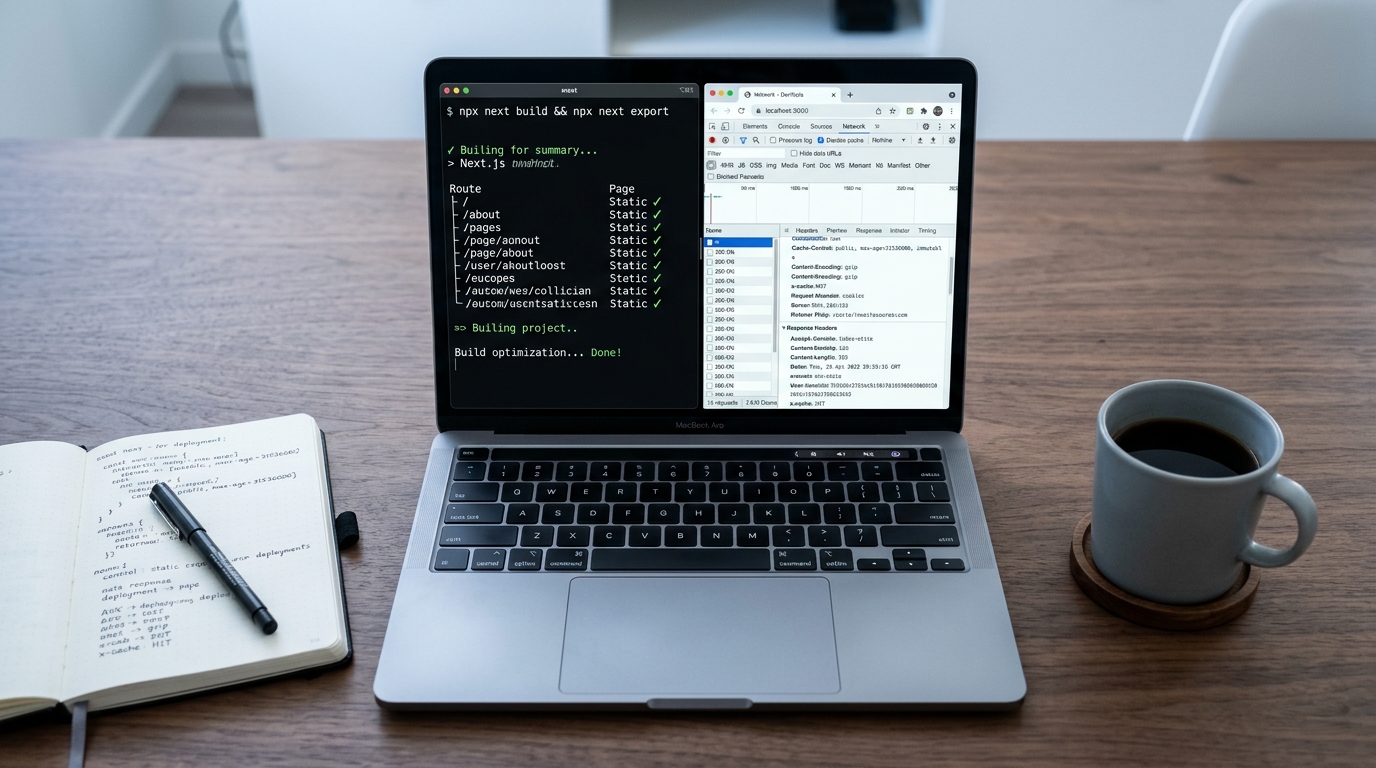
Run your Next.js site on cheap shared hosting without paying for dynamic server runtimes. Here is how to build a static export, wire Namecheap DNS, and edge-cache on StackPath.

Envato theme demo importers frequently hang or throw 504 gateway timeouts when processing large XML packages and media files. Here is how to fix server timeouts, raise execution thresholds, or run the import directly through WP-CLI.

When a parent theme defines functions without function_exists guards, child themes throw fatal redeclaration errors. Here is how to intercept, unhook, and replace unpluggable functions cleanly.

You upload a new Envato theme to WordPress and get a blank screen that says ‘The link you followed has expired.’ Here is why PHP upload thresholds trigger this error and how to fix it in five minutes.

A bloated wp_options table loaded on every PHP request can cripple site speed. Here is how to audit, purge, and flip autoload flags using WP-CLI via SSH.

Leaked origin IPs let scrapers and DDoS traffic bypass your CDN completely. Here is how to configure Nginx to accept requests exclusively from StackPath Origin Shield IP blocks.

When traffic spikes across dozens of global edge locations, your origin server can easily crash under duplicate cache misses. Here is how to configure StackPath’s Origin Shield to collapse multi-edge requests into a single upstream fetch.

Envato themes often load dozens of unused sliders, icon sets, and script bundles across every page. Here is how to track down their handles and cleanly dequeue them in your child theme.

Routing email to a subdomain without breaking root domain inbox routing requires careful DNS configuration in Namecheap. Here is how to configure custom MX records, set authentication, and verify propagation.

Routing a subdomain to a separate hosting provider shouldn’t risk your live production site. Here is how to configure Namecheap Advanced DNS and Hostinger hPanel to route a subdomain safely without touching your root domain or MX records.

DNS specifications prohibit assigning a raw CNAME record to a root domain. Learn how to map your apex domain in Namecheap to any hostname using synthetic ALIAS records.

Tired of slow database queries dragging down WooCommerce and logged-in WordPress sessions on Hostinger? Here is how to configure, secure, and verify a native Redis object cache stack.

Standard migration plugins almost always crash on databases over 500MB and uploads folders above 5GB. Here is how to migrate your entire WordPress site to Hostinger over SSH using rsync and WP-CLI.

Staging sites leak into search indexes and trigger duplicate content penalties when left unprotected. Here is the exact .htaccess and .htpasswd setup I use to lock down staging without breaking background workers.

Buying a theme on ThemeForest shouldn’t mean inheriting 45 database queries and 4MB of bloated JavaScript. Here is the developer audit routine I run to screen, unpack, and profile any Envato theme before writing client code.

WordPress throws the missing style.css stylesheet error when an update package contains nested directories or full documentation bundles. Here is how to fix your Envato theme files and deploy them cleanly.

Learn how to configure Apache and Nginx browser cache headers alongside StackPath CDN edge rules for WordPress. Drop page weight, cut origin hits, and accelerate static asset delivery.

Configuring dynamic subdomains shouldn’t require manual DNS entries every time you onboard a customer. Here is how to configure wildcard DNS in Namecheap Advanced DNS and wire it to your web server.

Running Nuxt 3 server-side rendering on Hostinger requires specific Node runtime tuning and reverse proxy adjustments. Here is the step-by-step setup using Namecheap DNS routing and StackPath edge CDN caching.

Deploying Node.js behind a CDN often breaks real IPs and websockets if configured wrong. Here is how to run Node on Hostinger, wire Namecheap DNS, and edge-cache static assets with StackPath.

When you route traffic through StackPath CDN, your origin server logs show CDN edge IPs instead of actual visitors. Here is how to configure Nginx and Apache to restore real client IPs and fix logging, firewalls, and analytics.

Caching dynamic HTML on your CDN breaks admin bars, checkout carts, and nonce validation. Here is how to write StackPath Edge Rules to bypass caching for logged-in WordPress users and dynamic paths.

Tracking parameters like utm_source and fbclid fragment your edge cache and drop your hit ratio to single digits. Here is how to configure StackPath EdgeEngine rules to ignore query strings and serve cached assets instantly.

Google Lighthouse flags static assets that lack long-term caching headers, dragging down your performance scores. Here is the exact .htaccess code to fix the cache policy warning on Hostinger servers.

Web fonts blocked by CORS policy when routing traffic through StackPath CDN can break your site’s typography instantly. Here is the exact origin and edge rule configuration to fix it permanently.

Route incoming custom domain emails straight to your personal Gmail using Namecheap’s free email forwarding system. Here is the step-by-step setup without breaking existing web records.

Deliverability tanks fast when your email auth records are missing or misconfigured. Here is how to configure SPF, DKIM, and DMARC in Namecheap Advanced DNS without breaking outgoing mail.

When you use external email services like Google Workspace or Microsoft 365 alongside Hostinger hosting, server-generated emails often disappear into a local void. Here is how to configure remote email routing in Hostinger hPanel to ensure mail hits your actual inbox every time.

Switching nameservers often wipes out business email. Here is how to route web traffic to Hostinger while keeping your Namecheap mail routing completely intact.

Hostinger bundles free Let’s Encrypt certificates, but paid Sectigo or PositiveSSL certs from Namecheap require a manual installation pipeline. Here is the exact process to generate your CSR, validate domain control, and install your custom certificate in hPanel without downtime.

When your Hostinger WordPress staging environment keeps pushing you back to your production site, a silent configuration mismatch is running the show. Here is how to trace and fix the redirect loops across your database, files, and server cache.

Hit the default file upload limit while installing a theme, plugin, or uploading raw media in WordPress? Here is how to raise your upload limits using Hostinger hPanel and configuration files.

A misconfigured edge protocol or missing proxy header creates an infinite 301 loop between StackPath and WordPress. Here is how to trace the redirect chain and fix it in under ten minutes.

Deploying fresh code to production means nothing if your edge cache keeps serving stale assets for twenty-four hours. Here is how to automate StackPath CDN purges directly inside GitHub Actions.

A green SSL certificate means nothing if your browser blocks insecure scripts, fonts, or images. Here is how to fix WordPress mixed content on Hostinger using LiteSpeed server directives and .htaccess.

Purchased Namecheap Private Email for a domain hosted elsewhere? Here is the exact DNS record blueprint to get inbound and outbound mail working without deliverability headaches.

Scheduled WordPress posts failing to publish on Hostinger? Replace flaky pseudo-cron with a real system cron job directly inside hPanel to guarantee on-time publishing.

Hit a fatal memory exhausted error on your Hostinger WordPress site? Here are four practical ways to increase your PHP memory limit and keep it from resetting.

Default WP-Cron runs on page requests, adding latency for visitors and skipping tasks on low-traffic sites. Here is how to kill WP-Cron and run a dedicated scheduled job inside Hostinger hPanel.

When automated mail routing fails or custom DNS breaks autodiscovery, manual configuration is your only way out. Here is how to configure Namecheap Private Email MX and SRV records cleanly in Advanced DNS.

Your SSL certificate is active on Hostinger, but Chrome still flags insecure scripts and images. Here is how to track down mixed content and fix database URLs cleanly.

Changing your domain’s nameservers to Hostinger breaks Namecheap Private Email instantly by detaching your DNS zone. Here is how to recreate your mail routing records inside hPanel so incoming and outgoing email never drops.

Theme demo imports often fail when PHP scripts hit strict server timeouts, memory caps, or remote asset blocks. Here is how to diagnose the failure in your browser logs, bump your environment limits, and import demo content cleanly.

Deploying a production Next.js app to Hostinger VPS gives you full Node runtime control without the platform markup. Here is the step-by-step workflow covering Namecheap DNS mapping, PM2 process management, and StackPath CDN edge caching.

Deploying an Astro site to Hostinger gives you low-cost static hosting paired with edge caching. This guide shows you how to build your project, configure Namecheap DNS, and route traffic through StackPath CDN.

Shipping a React single-page application on shared hosting often leads to broken routing and cache invalidation headaches. Here is the exact pipeline to deploy your production bundle to Hostinger behind StackPath CDN with custom Namecheap DNS records.

Learn how to establish true end-to-end SSL encryption across Namecheap DNS, StackPath CDN, and Hostinger. Prevent infinite redirect loops and secure both edge and origin connections.

Pointing a root domain to a hostname usually breaks standard DNS rules. Here is how to configure Namecheap ALIAS records to route apex traffic cleanly without touching your email setup.

WordPress throws ‘The package could not be installed. The theme is missing the style.css stylesheet’ when it can’t find a valid stylesheet in the zip root. Here is how to fix the zip packaging, header comments, and directory paths.

When the Elementor editor hangs on a gray loading screen with an endless spinner, a script failure or memory ceiling is halting the handshake. Here is how to diagnose the root cause and get your editor loading again.

Elementor throws the ‘Preview Could Not Be Loaded’ error when the builder iframe fails to communicate with your WordPress installation. Here is how to diagnose the root cause and restore your editor in minutes.

Restrict unauthorized SSL certificate issuance by configuring DNS Certification Authority Authorization (CAA) records in Namecheap. Here is how to lock down your domain, prevent spoofed certs, and verify records with dig.

Serving cached static HTML to authenticated users breaks the WordPress toolbar, drafts, and customer sessions. Here is how to configure StackPath EdgeRules and origin headers to bypass the CDN cache whenever WordPress auth cookies are present.

When dozens of global CDN edge nodes miss cache simultaneously, your origin server takes the beating. Here is how to configure StackPath Origin Shield to collapse requests into a single centralized cache tier.

Full-page caching misses dynamic requests like the WooCommerce cart and wp-admin. Here is how to configure Redis Object Cache on Hostinger to drop server response times and handle query spikes.

Hostinger’s one-click Let’s Encrypt SSL installer failed on your WordPress site. Here is how to diagnose DNS issues, resolve CAA conflicts, and successfully install your certificate.

Paying for Google Workspace or custom mailboxes for every side project gets expensive fast. Here is how I route incoming domain email to Gmail using Namecheap’s free email forwarding system.

Stop your outbound emails from landing in spam folders or getting rejected by Google and Yahoo. Here is how to configure valid SPF, DKIM, and DMARC records in Namecheap DNS without breaking mail delivery.

Pointing a subdomain to Hostinger while keeping your apex domain on Namecheap DNS lets you isolate services without touching existing mail records. Here is the step-by-step setup using A and CNAME records with hPanel.

When you offload static assets to a CDN subdomain, browsers block your web fonts with CORS violations. Here is how to configure origin headers, fix edge caching traps, and restore your typography across all browsers.

Slapping HTTP Basic Auth on a WordPress staging site usually breaks the Gutenberg editor, webhooks, and REST endpoints immediately. Here is the exact .htaccess directive set to protect your staging site while keeping API requests fully functional.

A staging site keeps untested plugins, custom CSS, and major PHP updates from taking down your production site. Here is the exact workflow to clone, test, and deploy WordPress on Hostinger without overwriting fresh customer data.

Deploying WordPress themes or custom plugins via SFTP leads to broken builds and lost changes. Here is how to configure automated Git deployments in Hostinger hPanel using GitHub webhooks.

Running raw SQL replacement queries breaks serialized PHP data during WordPress migrations. Here is how to safely swap URLs using WP-CLI search-replace without wrecking your widgets or theme configs.

Learn how to configure Namecheap Private Email MX records correctly across BasicDNS or third-party hosts. Includes exact SPF values, priority settings, and terminal verification commands.

A CDN won’t cache your WordPress assets if your origin server sends bad Cache-Control headers. Here is how to configure Apache mod_headers in your .htaccess file to achieve clean edge caching and high hit ratios.

Transferring a domain out of Namecheap requires disabling the registrar lock and extracting your EPP authorization code. Here is the exact walkthrough, including ICANN hold gotchas and DNS preservation tactics.

Theme demos on ThemeForest often hide massive DOM trees, bloated scripts, and fake performance tricks behind CDN caching. Here is how I tear them apart in Chrome DevTools so I never buy broken or slow WordPress themes.

Moving a live WordPress production site often leads to broken databases or unexpected downtime. Here is the step-by-step developer workflow to migrate cleanly to Hostinger using staging, rsync, and manual DNS cutovers.

Buying a theme on ThemeForest without vetting the live demo usually ends in bloat, broken dependencies, and slow page loads. Here is the exact checklist I use to audit themes before spending a dollar.

Switching nameservers from Namecheap to Hostinger cuts off your existing email if you leave DNS records behind. Here is the step-by-step workflow to audit, copy, and verify MX, SPF, and DKIM before flipping the switch.

Upload failing with a 413 Request Entity Too Large error on Hostinger WordPress? Here is how to raise PHP and web server upload limits without breaking your stack.

Routing an apex domain through a CDN without breaking RFC DNS specifications or origin SSL handshakes requires careful setup. Here is the step-by-step setup using Namecheap, StackPath, and Hostinger.

Deploy your static landing page directly to Hostinger, route DNS through Namecheap, and wrap it with an edge CDN for lightning-fast global delivery. Here is the exact production configuration to eliminate caching bugs and avoid high platform fees.

Wiring Hostinger hosting to StackPath CDN while keeping your domain on Namecheap DNS requires specific SSL and origin routing steps. Here is the exact walkthrough to deploy your app without redirect loops or SSL mismatches.

Routing traffic through a CDN without breaking SSL or origin communication can be messy. Here is how I wired Namecheap DNS directly to StackPath with Hostinger handling the origin server.

Split DNS management without moving your entire domain. Here is how to configure Namecheap NS records to delegate any subdomain to an external DNS provider.

Elementor throws a 403 Forbidden error when a web application firewall or server security module blocks its save payload. Here is how to track down the blocked request in DevTools and fix the rule without breaking security.

When your Envato theme demo import freezes or crashes with an HTTP 500 error, server resource constraints are almost always the cause. Here is the exact checklist to raise your PHP thresholds, fix MySQL limits, and run clean imports.

WordPress throws the ‘Theme is missing style.css stylesheet’ error when you upload a full ThemeForest archive instead of the installable theme file. Here is how to isolate the actual theme ZIP, verify your style headers, and install it cleanly.

Elementor hanging on an infinite loading spinner is almost always caused by PHP memory exhaustion or blocked server requests. Here is how to diagnose the browser console, raise execution limits, and reconfigure your web server rules.

Learn how to route dynamic customer subdomains to your application using wildcard DNS records in Namecheap. This guide covers DNS setup, Nginx reverse proxying, and automated SSL.

Origin servers that attach Set-Cookie headers to images and CSS ruin CDN cache hit rates. Here is how to strip Set-Cookie on StackPath Edge Rules and keep your assets cached.

Caching full HTML at the CDN edge drops TTFB to double digits, but logged-in users often see cached public pages or leak session bars. Here is the exact edge and origin configuration to bypass caching for active WordPress sessions.

Stop browsers from sending conditional If-None-Match requests for versioned static assets on page reloads. Here is how to configure Cache-Control immutable properly in Nginx.

Default WP-Cron introduces slow page responses and unreliable event scheduling by running on page requests. Here is how to disable it and trigger a real Linux cron job inside Hostinger hPanel.

Learn how to configure DNS Certification Authority Authorization (CAA) records in Namecheap to prevent unauthorized SSL certificate issuance. Lock down your domain to specific CAs like Let’s Encrypt or Sectigo.

Paying $7 every month per inbox for Google Workspace just to get a contact address on a hobby project hurts. Here is how I routed custom domain email to a personal Gmail account for free using Namecheap DNS and a verified SMTP relay.

When your nameservers share the same domain they host, DNS resolvers hit a circular dependency loop. Here is how to register glue records in Namecheap and verify propagation using dig.

When Hostinger nests subdomains inside public_html, root .htaccess rewrite rules cascade down and trigger 404s or redirect loops. Here is how to stop Apache and OpenLiteSpeed from inheriting parent rules.

Stop transactional and domain emails from landing in spam by setting up SPF, DKIM, and DMARC records correctly in Namecheap DNS. Here is the practical guide to configuring your TXT entries and verifying them via terminal.

Running Node.js WebSockets behind Nginx often triggers 400 Bad Request or abrupt 60-second connection drops. Here is the working configuration for Nginx reverse proxying, upgrade headers, and PM2 process management.